Take in a boarder the professional way.
For home owners in Perth with a room in the home they live in.
May boarder ka sa bahay? Gawin nating maayos.
Early access only for now. Your boarder never pays for the app.
Who it is for
It is for you if
You live in the home, and you take in a boarder or a family to share it with you. The software helps you run the move-in: who is coming, what you have checked, what has been paid and what they still need to do.
It is not for
A place you do not live in. That is probably a tenancy, with its own rules, and this is not the right tool for it.
What your boarder sees
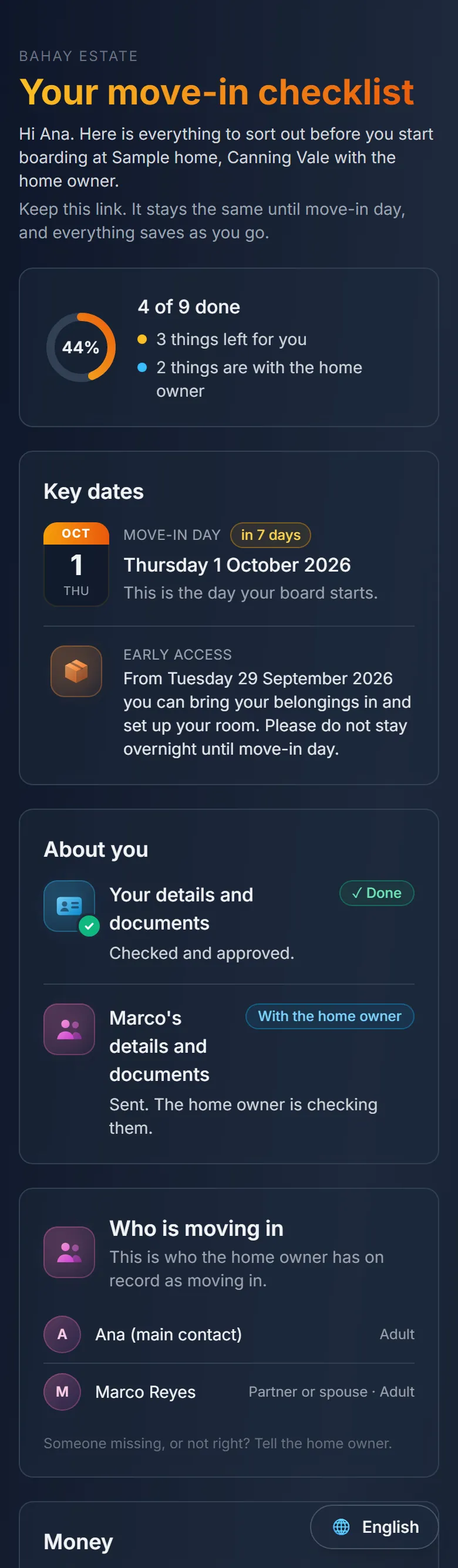
Your boarder opens their private link on their phone and gets a move-in checklist for your house. It reads in English, Tagalog or Bisaya.
English 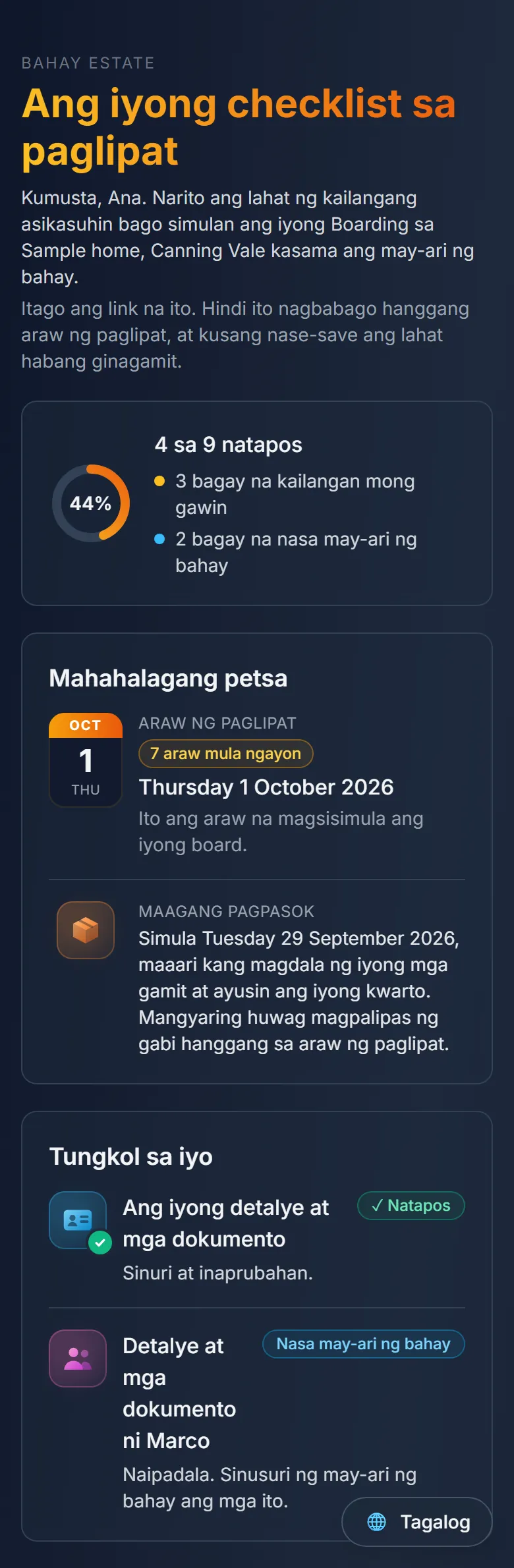
Tagalog 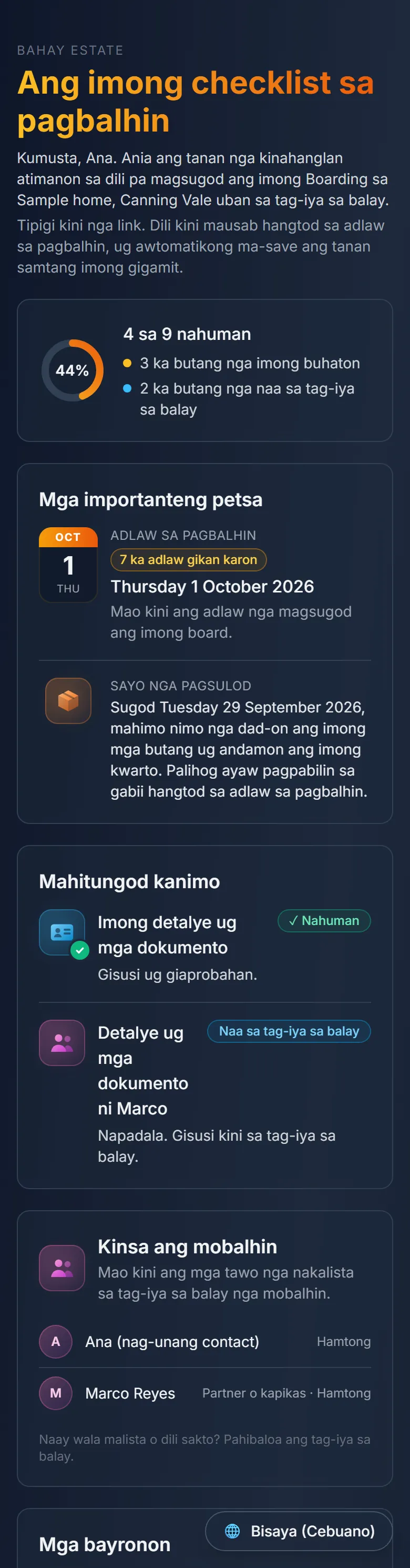
Bisaya
What the software does
A private link for each person you invite
Each person you invite gets a private link of their own. There is no app to download and no account to make. You can see when a link has been opened.
Their ID and payslip, checked by you
They upload their licence, passport and payslip. You look at each one and tick it checked. The software does not read or check them for you. Only the last four characters of a passport or licence number are ever typed in.
Families move in together
Invite a family as one household. You list who is moving in, the main contact fills in any names you do not know, and any adult you ask for documents gets their own link.
First board worked out for you
Set your board day and the move-in date. The software works out the first board: a full week if they move in on your board day, or the part week up to it if they do not. Nobody does sums on the doorstep.
Every move-in payment written down
Security, first board and board in advance each get their own line. Part payments are fine. Each payment shows whether it came in cash or by bank transfer, and who took it.
A checklist the whole family can use
The utilities your boarder takes over at your house, with who to call for each one, plus anything else you want done before the day. They tick things off as they go, and you can see what is done.
In their language
The checklist page reads in English, Tagalog or Bisaya. The documents form and the emails are in English for now.
Reminders before move-in, and a report for you
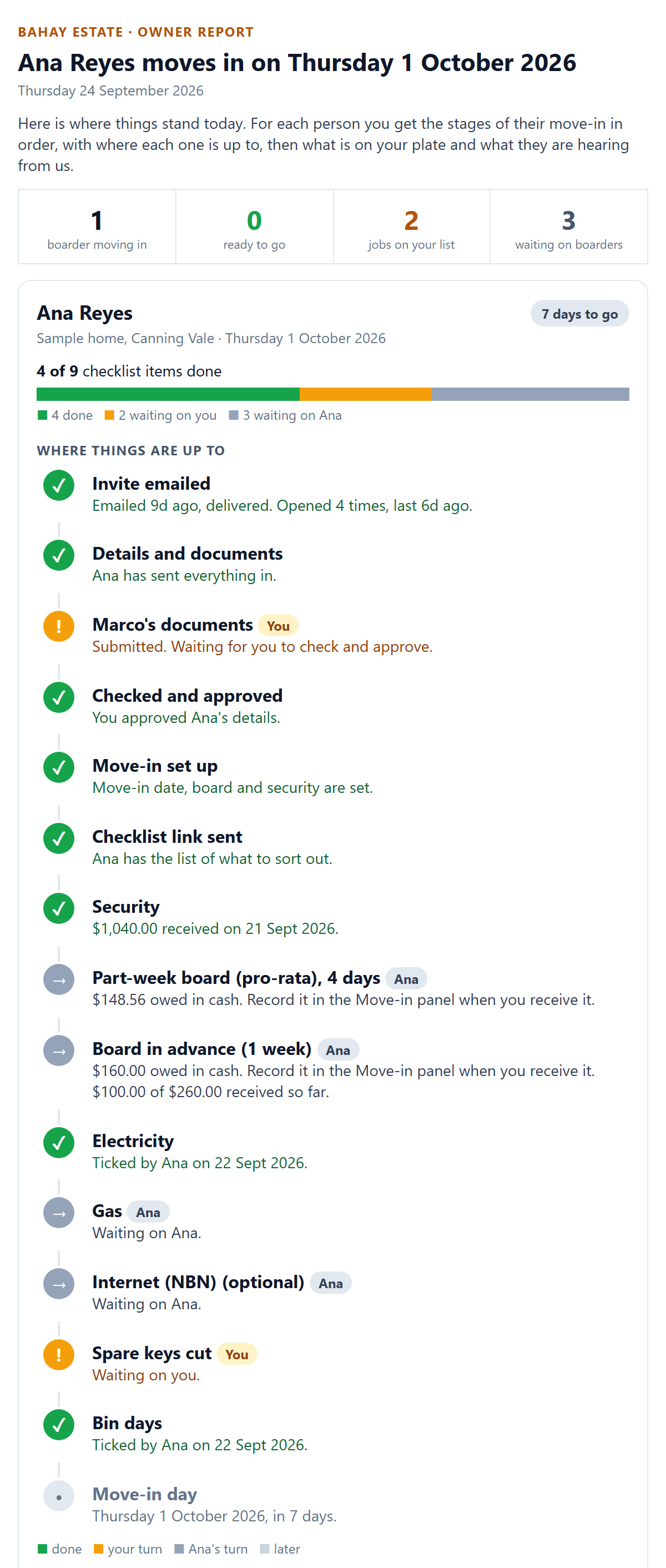
Until move-in day, your boarder gets reminders about whatever is still open. You get a report by email showing what is done, what is waiting on you and what is waiting on them.
It comes every day in the last week before a move-in, weekly before that, and stops once you mark everyone as moved in.
How a move-in goes
Step 1: Invite
Add your boarder and send their private link. For a family, you list who is moving in and the main contact fills in any names you leave blank.
Step 2: Details and documents
They fill in their details and upload their ID and a payslip from their phone.
Step 3: You check
You look at each upload and tick it checked.
Step 4: Money
You record security, first board and board in advance as each one comes in, in cash or by bank transfer.
Step 5: Checklist
Your boarder works through the move-in checklist: the utilities to take over, who to call and anything you have added.
Step 6: Moved in
On the day, you mark them as moved in, and the reminders and your report stop. The money records stay with you, and the checklist stays readable for a while.
Your boarder's documents
- Only you, and anyone you make an admin, can open them in the app. They never appear on a public page.
- Only the last four characters of a passport or licence number are ever typed in.
- Files stay until you delete that boarder from your list. That also removes their money records, so keep a copy first.
What it is not
Bahay Estate is software for your home. It does not check documents against government records, find boarders for you, collect board for you, or give legal or tax advice. It is not a boarding agreement, so we recommend you also have one in writing covering notice, house rules and keys. Whether someone is a boarder depends on how you share your home, not on what the app calls them. Using the software does not make you part of the Bahay Estate network.
Questions
Does my boarder pay for the software?
No. You pay for it, and your boarder never does.
What happens after move-in?
The checklist stays readable for a while and the money records stay with you. Keeping track of weekly board is planned, but not ready yet.
Does it take payments?
No. Board goes straight to you, in cash or by bank transfer. The software only writes down what was paid.
Which languages?
The boarder's checklist is in English, Tagalog and Bisaya. The documents form and the emails are in English for now.
Where does it work?
Perth, Western Australia, for now.
Can I sign up today?
Not yet. Ask for early access and we will set you up as soon as it opens.
Want it for your next move-in?
Tell us about your home and the room you have for a boarder. We will get back to you about early access.